> ## Documentation Index
> Fetch the complete documentation index at: https://hercules.app/docs/llms.txt
> Use this file to discover all available pages before exploring further.
# Code Editor
> View and edit app code from the Codebase tab. Manual edits for precise control. Prefer Hercules AI for most changes.
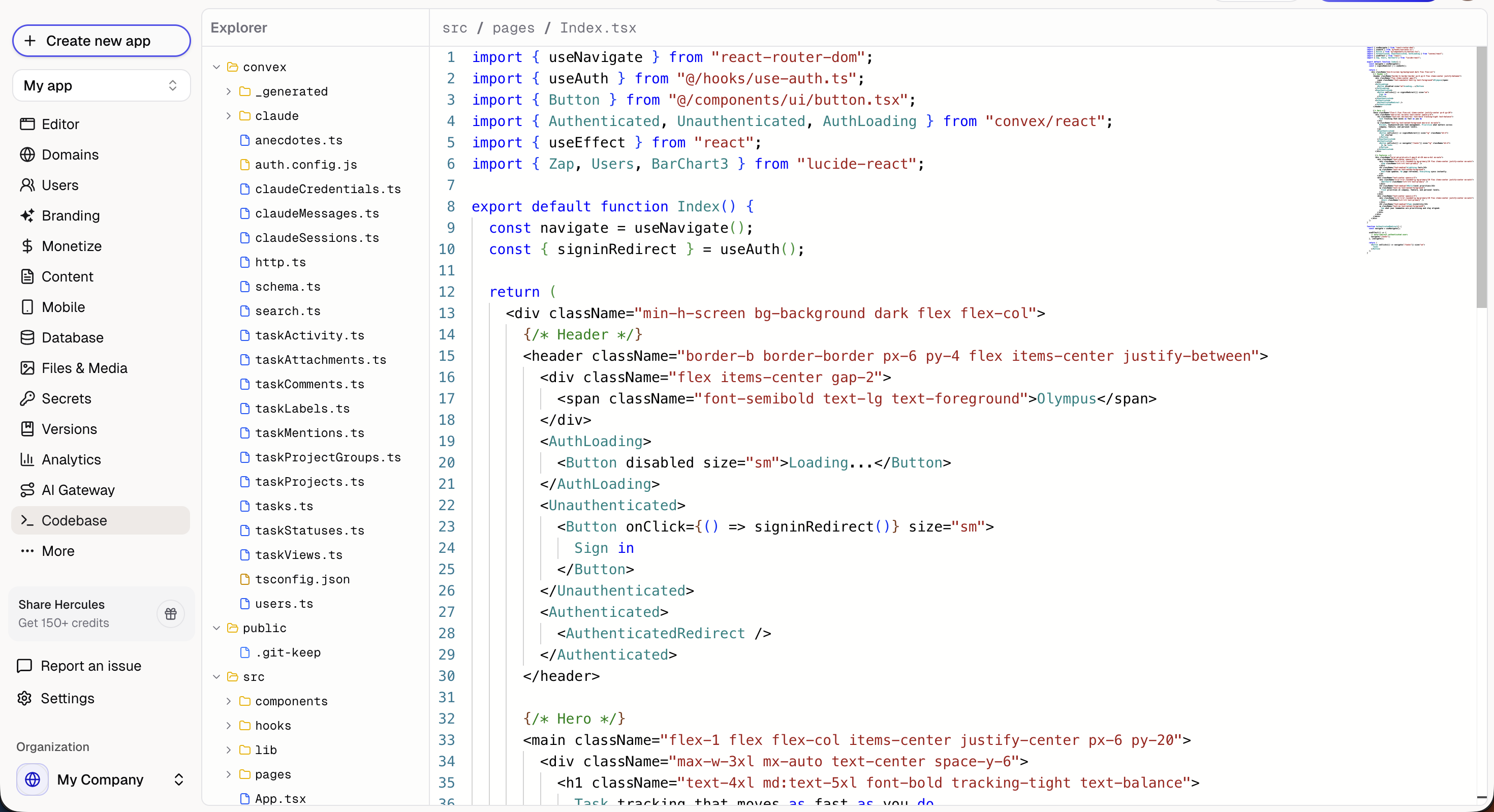
View and edit your app's code from the **Codebase** tab in the sidebar.
### What is the code editor?
A manual code editor that lets you directly modify your app's source code. Useful for developers who want precise control over specific files.
### How do I save changes?
You must click **Save** to commit your changes. Changes are not auto-saved. Unsaved changes will be lost if you navigate away.
### Should I use Hercules AI or edit code directly?
We strongly recommend using the [visual editor](/apps/visual-edit) or asking Hercules AI to make changes. Hercules AI understands your app's architecture and makes coordinated changes across multiple files. If you break something, use [Version Control](/apps/version-control) to revert.
### Who can use the code editor?
The code editor is available on paid plans.
### Additional FAQ
Manual edits can break your app. We cannot support you if you make manual changes to the codebase.
If something goes wrong:
1. Use **Version Control** to restore a previous working version
2. Ask Hercules to fix the issue
Not currently. We are working on improving the code editor experience