> ## Documentation Index
> Fetch the complete documentation index at: https://hercules.app/docs/llms.txt
> Use this file to discover all available pages before exploring further.
# Customers
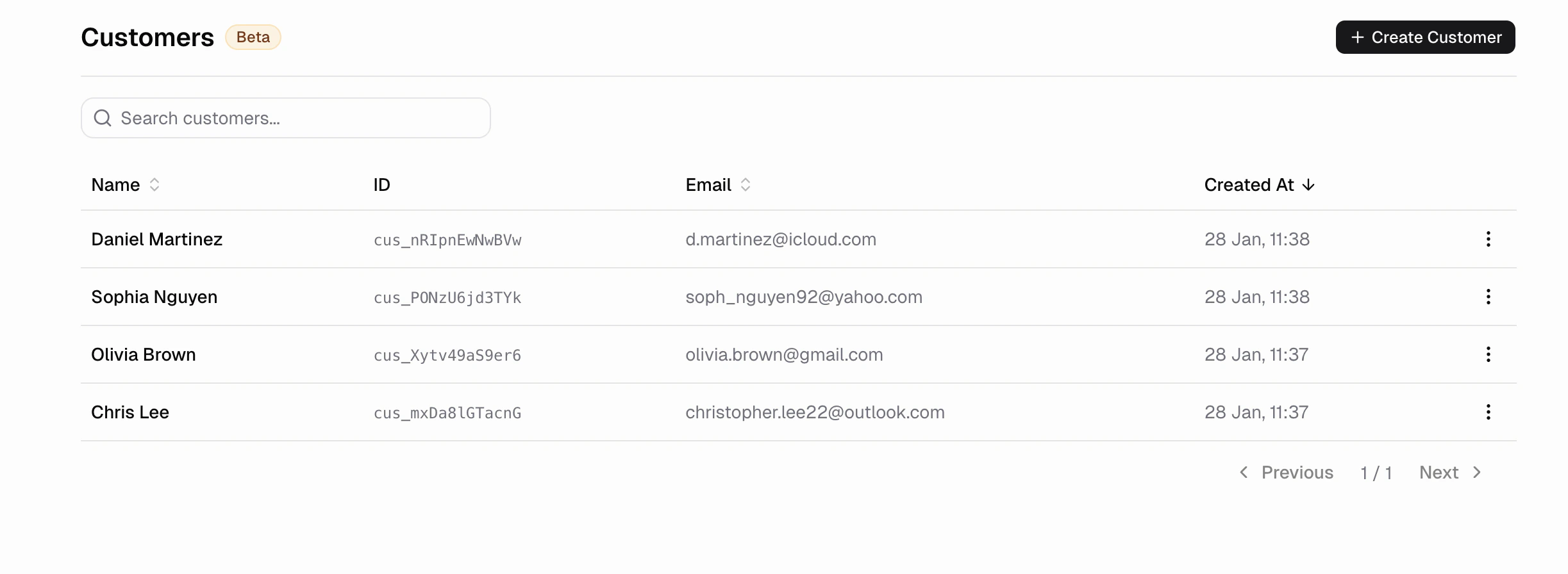
> View and manage commerce customers. See purchase history, entitlements, refunds, and manually grant access.
View and manage all customers tied to your commerce account. See purchase history, manage entitlements, and handle refunds. Refunds appear in [Transactions](/apps/commerce/transactions).
### What is a customer?
A customer is the billable entity. For consumer apps, this is usually the User. For B2B apps the billable entity is usually the Organization.
### How do I see all my customers?
Go to **Commerce → Customers**
### How do I see a customer's purchase history?
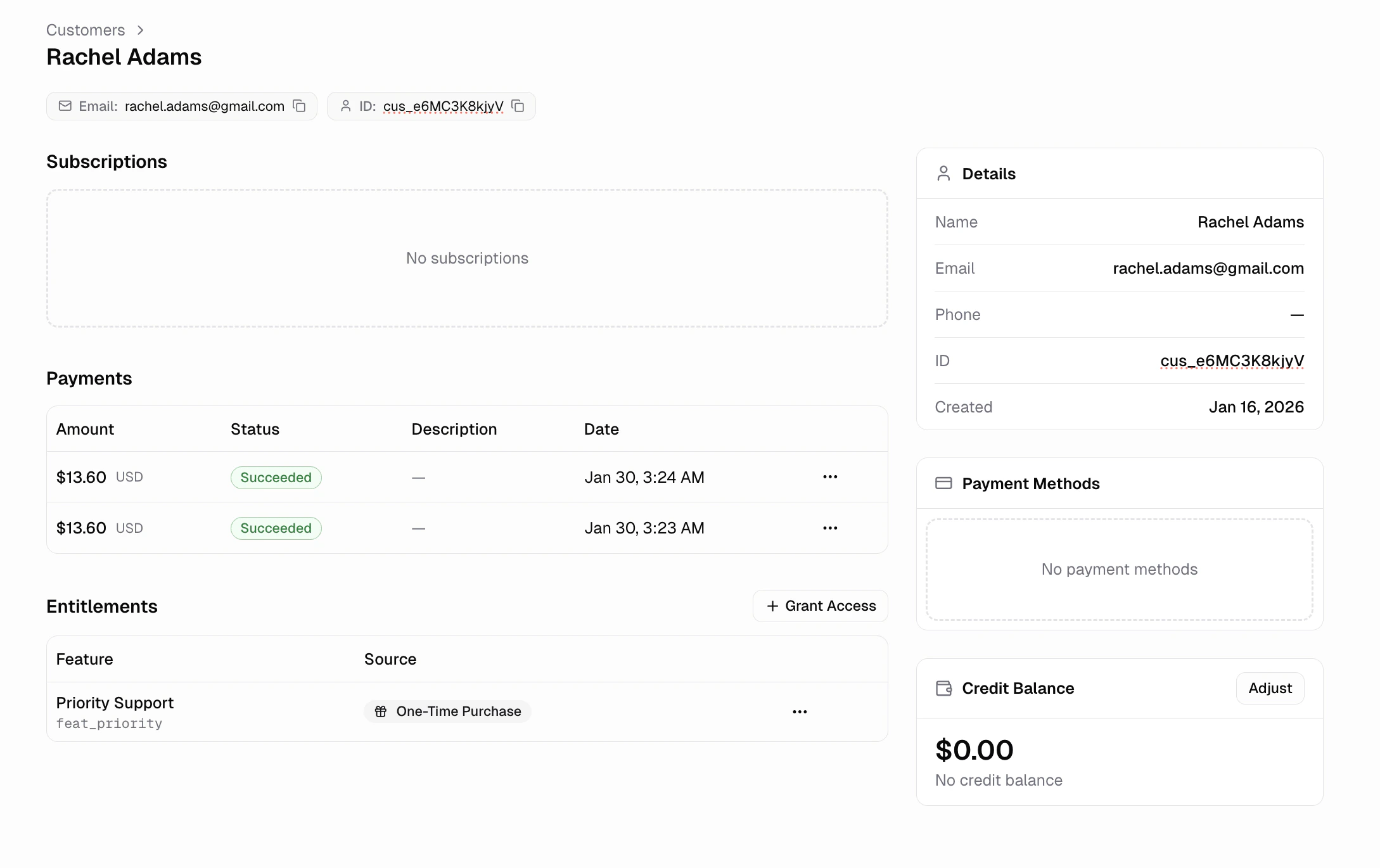
Click any customer to view their full profile. You can see their
* **Payments:** All purchases and their status
* **Subscriptions:** Active, cancelled, or paused plans
* **Entitlements:** Current feature access
* **Payment methods:** Saved cards on file
### How do I issue a refund?
From a customer's profile, click the payment and select **Refund**. Choose full or partial refund. Refunds typically appear on customer statements within 5-10 business days.
### Can I manually grant entitlements?
Yes. From a customer's profile, go to **Entitlements** and click **Add Entitlement**