> ## Documentation Index
> Fetch the complete documentation index at: https://hercules.app/docs/llms.txt
> Use this file to discover all available pages before exploring further.
# Transactions
> Track payments, refunds, and disputes. Monitor revenue and handle issues from Commerce → Transactions.
Track all payments, refunds, and disputes in one place. Monitor your revenue and handle issues quickly. See [Customers](/apps/commerce/customers) for purchase history and [Payouts](/apps/commerce/payouts) for when earnings reach your bank.
### How do I view transactions?
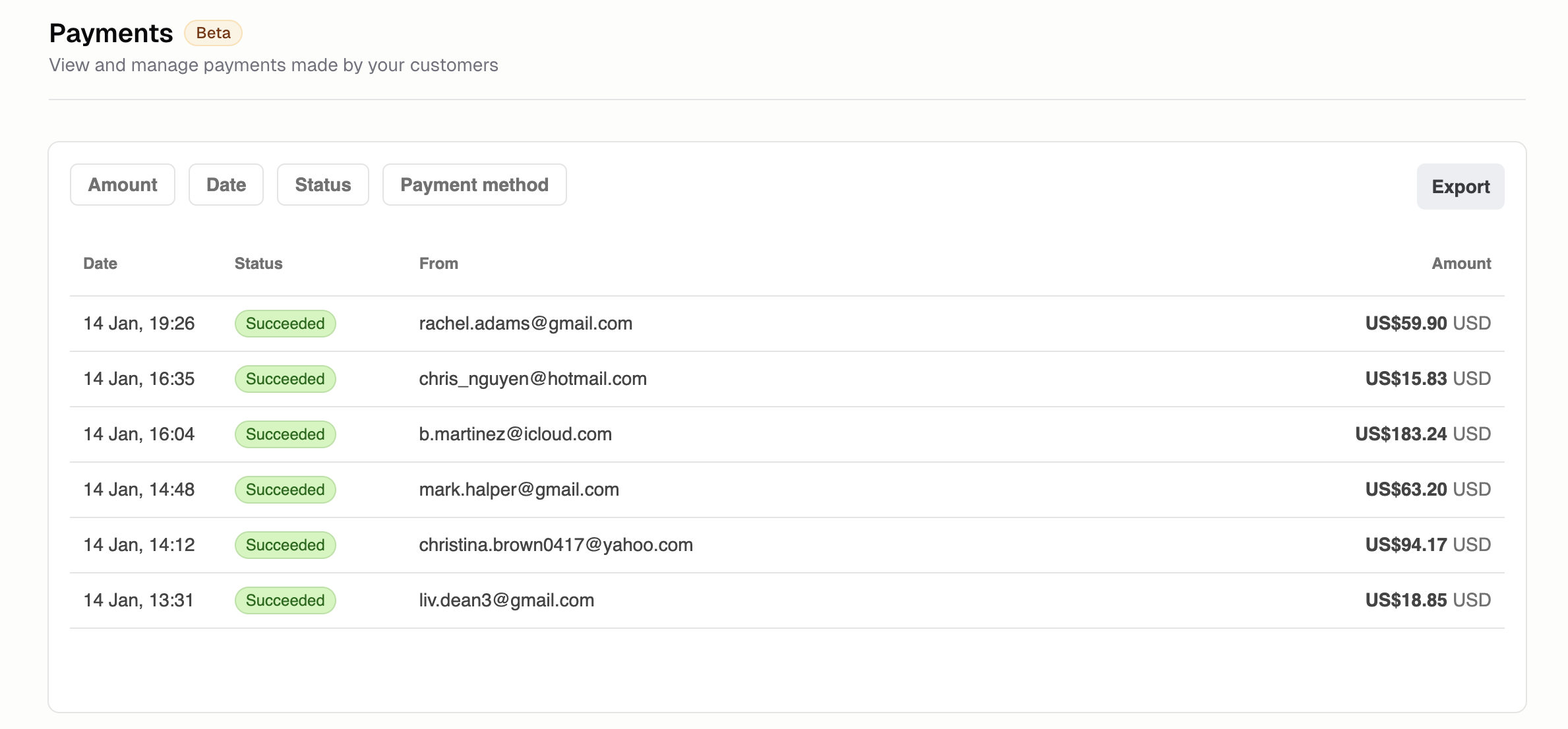
Go to **Commerce → Transactions** to see:
* Payment amount
* Customer name
* Product or plan purchased
* Payment status
* Date and time
### What do the transaction statuses mean?
* **Succeeded:** Payment completed successfully
* **Pending:** Awaiting confirmation
* **Failed:** Payment was declined
* **Refunded:** Money returned to customer
* **Disputed:** Customer filed a chargeback
### How do I issue a refund?
1. Click the transaction
2. Click **Refund**
3. Enter amount (full or partial)
4. Add reason (optional)
5. Confirm
Refunds take 5-10 business days to appear on customer statements.
### How do I handle disputes?
When a customer disputes a charge:
1. You're notified via email and in-app
2. Review the dispute details
3. Submit evidence (receipts, delivery confirmation, communication)
4. The customer's bank will make a decision
Respond promptly. You have limited time to submit evidence.
### Additional FAQ
Yes. Set your filters, then click **Export**. Use for accounting, tax reporting, or reconciliation.
Common reasons: insufficient funds, expired card, incorrect details, potential fraud, or bank
restrictions. Ask the customer to try a different payment method.
Enter any amount up to the original payment. The remaining amount stays with you. Useful for
returns of individual items from multi-item orders.
Stripe's standard processing fees plus a 4.5% platform fee. This is our launch pricing. We plan to
offer competitive volume-based rates as you scale.