> ## Documentation Index
> Fetch the complete documentation index at: https://hercules.app/docs/llms.txt
> Use this file to discover all available pages before exploring further.
# Database
> Every app includes a database. Hercules creates schema from your descriptions. View, edit, import from the Database tab.
Every Hercules app includes a database by default. No setup required. Store users, organizations, records, and any structured app data. For static assets use [Files & Media](/apps/files-media-storage).
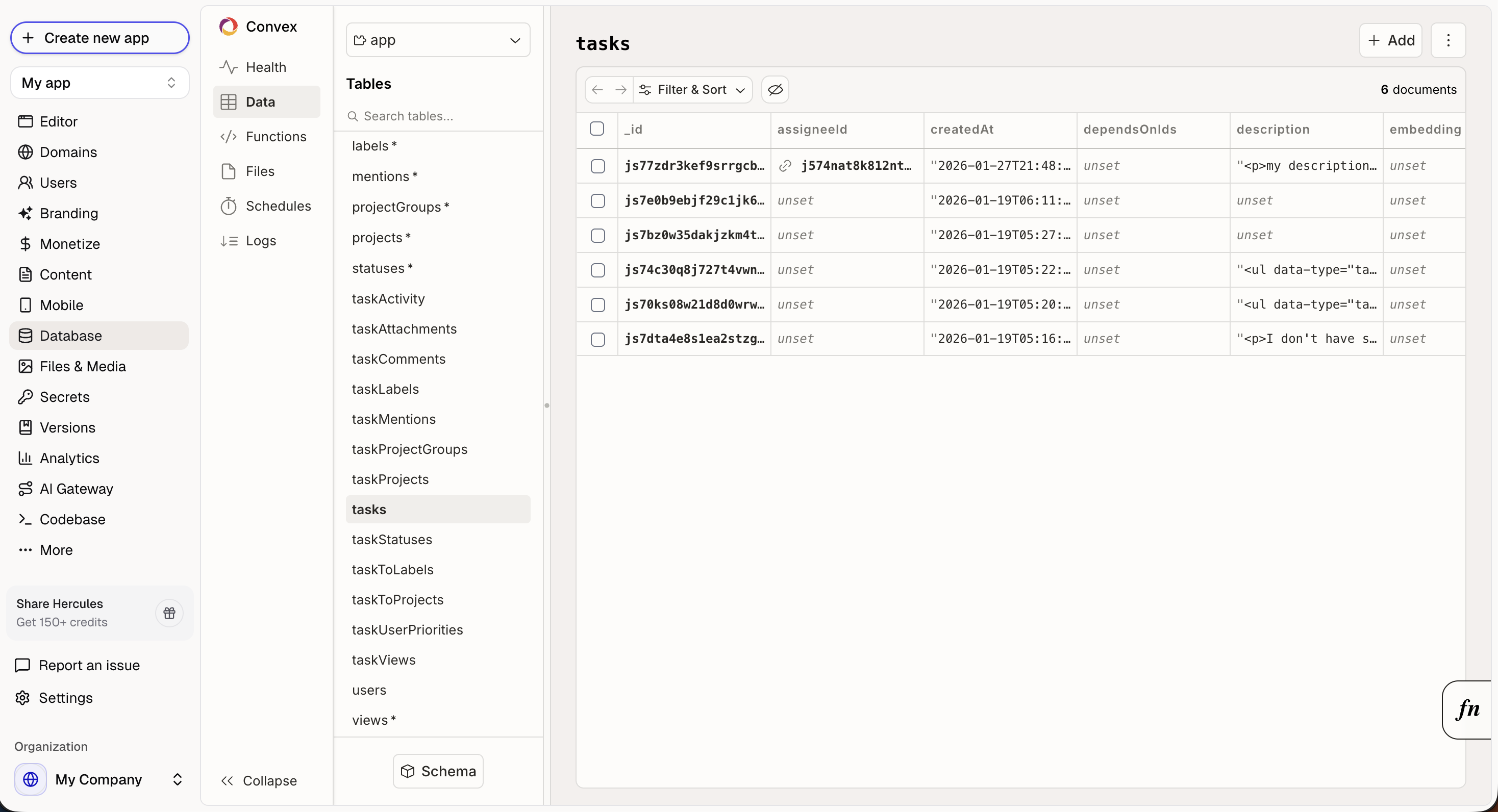
### How does the database work?
When you describe features to Hercules, it creates the database structure automatically:
* `Add a blog with posts and comments` creates `posts` and `comments` tables
* `Users should be able to save favorites` creates a `favorites` table linked to users
* `Track order history` creates an `orders` table with relationships
You don't need to design the schema. Just describe the functionality and user experience you want, and Hercules will handle the rest.
### What can I do in the Database UI?
Open **Database** in the sidebar to:
* View all tables and their structure
* Browse and edit individual records
* Search and filter data
* Bulk import data from CSV
### How do I import a CSV into my database?
Open **Database** in the sidebar, then click **Import CSV**. In the dialog:
1. Pick the deployment to import into
2. Enter the table name (use letters, numbers, and underscores, starting with a letter)
3. Choose how to handle existing data
4. Select your CSV file and click **Import**
You can import into a new table or an existing one. The import modes are:
* **Append**: Add the rows to the table's existing data.
* **Replace**: Overwrite all rows in the table.
* **Require empty**: Import only when the table has no rows yet.
Large files upload in the background, so you can import sizable spreadsheets without timing out.
### Can I edit the data in the database with Hercules AI?
Yes! Hercules AI can
* Read and query tables
* Create new records
* Bulk create records
* Update and delete existing records (with your approval)
### How large can the database scale?
The database can scale as large as you need. It's designed to handle large-scale production workloads.
### Where is data hosted?
Your data is hosted in the region you pick when you create the app. Available regions: **US East (N. Virginia)** and **EU West (Ireland)**.
### Additional FAQ
Yes. You can schedule automatic backups of your app's database on the Business plan. Open **Backend** in the sidebar, open the menu for a deployment, and click **Backups**. Turn on **Enable periodic backups**, then pick:
* **Frequency**: Daily or Weekly
* **Time**: the time of day each backup runs (shown in your local timezone)
* **Day of week**: for weekly backups
* **Include file storage**: also back up uploaded files, not just database records
Once a schedule is set, backups run on their own and the recent runs appear in the same dialog. Hercules handles retention for you: daily backups are kept for 7 days, weekly backups for 14 days. Older backups age out on their own, so you do not need to clean them up.
If you need to restore your production database from one of these backups, reach out to support and we will help you recover it.
Separately, on a development deployment you can use **Clone data from production** in the deployment menu to copy your current production data into that development deployment. This replaces the development deployment's existing data and can include file storage. It is meant for refreshing a development deployment with live data, not for rolling production back to an earlier backup.
Yes. Go to **More → Export**. Database exports are only available on the Business plan
* **Database** stores structured data (users, orders, records).
* **[Files & Media](/apps/files-media-storage)** stores static assets (images, PDFs, videos).
Use Database for data, and Files & Media for assets.