> ## Documentation Index
> Fetch the complete documentation index at: https://hercules.app/docs/llms.txt
> Use this file to discover all available pages before exploring further.
# Environments
> Run your app in separate production and development environments. Add development deployments with their own database, functions, and secrets to test changes safely.
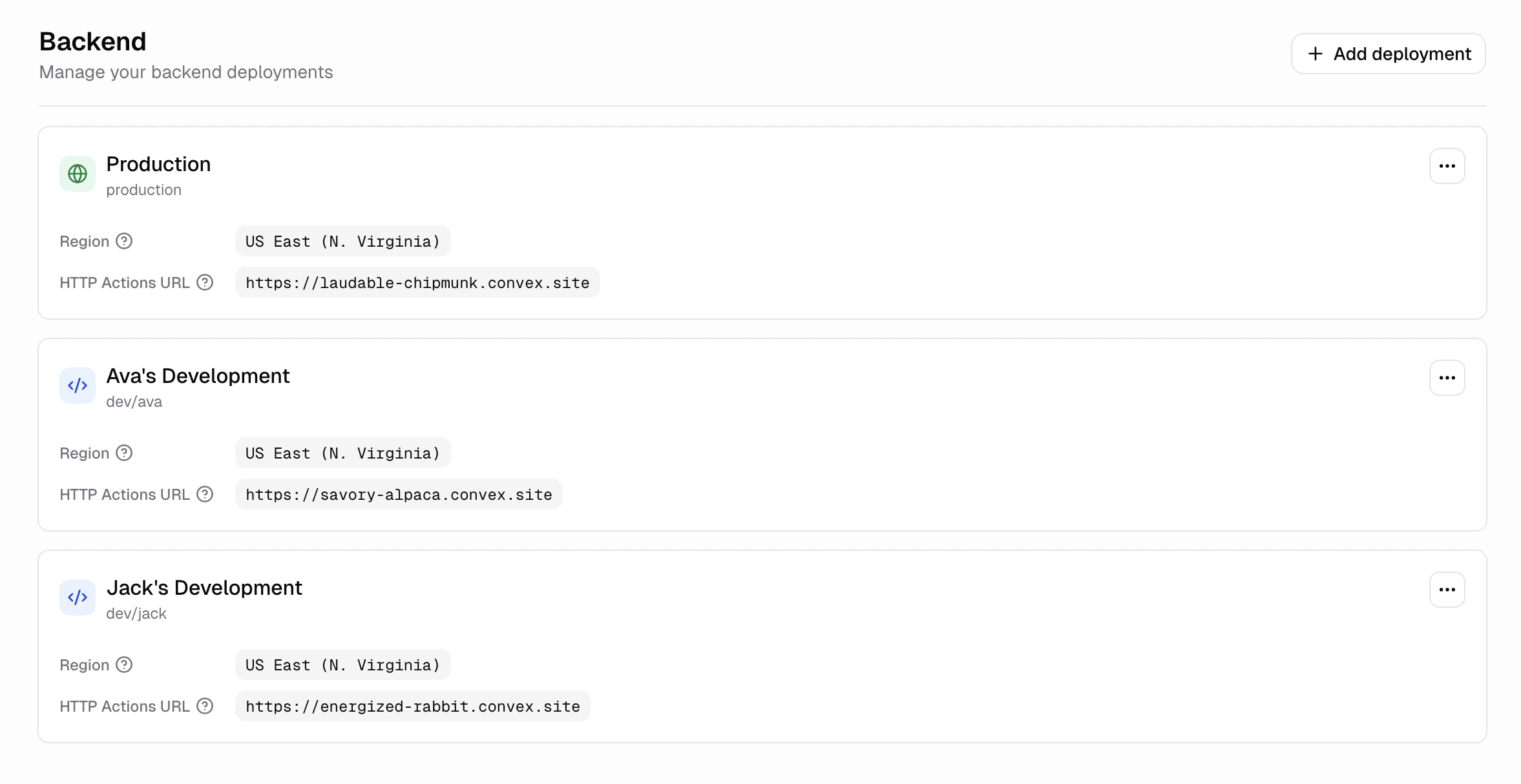
Every app has two environments: **Production** (your live app) and **Development** (isolated backends you use to test changes). A development deployment is a second backend with its own database, functions, and secrets, so you can try changes without risking real user data.
### When should I add a development deployment?
Add one when you want a safe place to try changes before they reach real users. Common reasons:
* Test a migration or schema change against throwaway data
* Experiment with a new integration or API key
* Let teammates try a feature without polluting production data
### How do I create a development deployment?
1. Open your app in the Dashboard
2. Go to **Advanced** → **Backend**
3. Click **Add deployment**
4. Fill in a name (optional) and pick a region
5. Click **Confirm**
Hercules provisions the development deployment for you. This usually takes less than a minute.
### How is the development environment different from production?
* **Separate database.** Development deployments start empty. Nothing from production is copied over.
* **Separate secrets.** Only secrets scoped to the development environment are available. See [Secrets](/apps/secrets).
* **Separate URL.** Each development deployment has its own URL, so frontend requests from development don't hit production.
* **Separate region.** You can pick a different region from your production deployment.
### Can I have more than one development deployment per app?
Yes. Each app can have one production deployment and up to 5 development deployments.
### How do I rename a development deployment?
On the **Backend** screen, open the deployment's actions menu and click **Edit**. You can update the display name and reference.
### How do I delete a development deployment?
On the **Backend** screen, open the deployment's actions menu and click **Delete**. Type the confirmation text shown in the dialog, then click **Delete**. This permanently deletes the deployment and all its data. Production deployments cannot be deleted.
Deleting a development deployment erases its database. There is no undo. If you need the data,
export it first.
No. Every app gets a production deployment automatically. Development deployments are optional.
It defaults to your organization's region. You can pick a different region when you create it.
Currently available: US East (N. Virginia) and EU West (Ireland).
Only secrets you've scoped to the development environment are available in development
deployments. Production-only secrets stay in production.
Yes. On the **Backend** screen, open the development deployment's actions menu and click **Clone
data from production**. A snapshot from production is restored into the development deployment,
and its existing data is replaced.
Yes. Open a deployment's actions menu and click **View function usage** to see a per-function
breakdown of call count, database bandwidth, and action compute. You can filter by last 24 hours,
3 days, 7 days, 30 days, or 90 days.