> ## Documentation Index
> Fetch the complete documentation index at: https://hercules.app/docs/llms.txt
> Use this file to discover all available pages before exploring further.
# Publish Your App
> Publish to App Store, Google Play, Microsoft Store, or as PWA. Use PWA Builder to generate store packages.
Publish your app to the App Store, Google Play, Microsoft Store, or distribute as a PWA.
### How do I publish my app to the App Store?
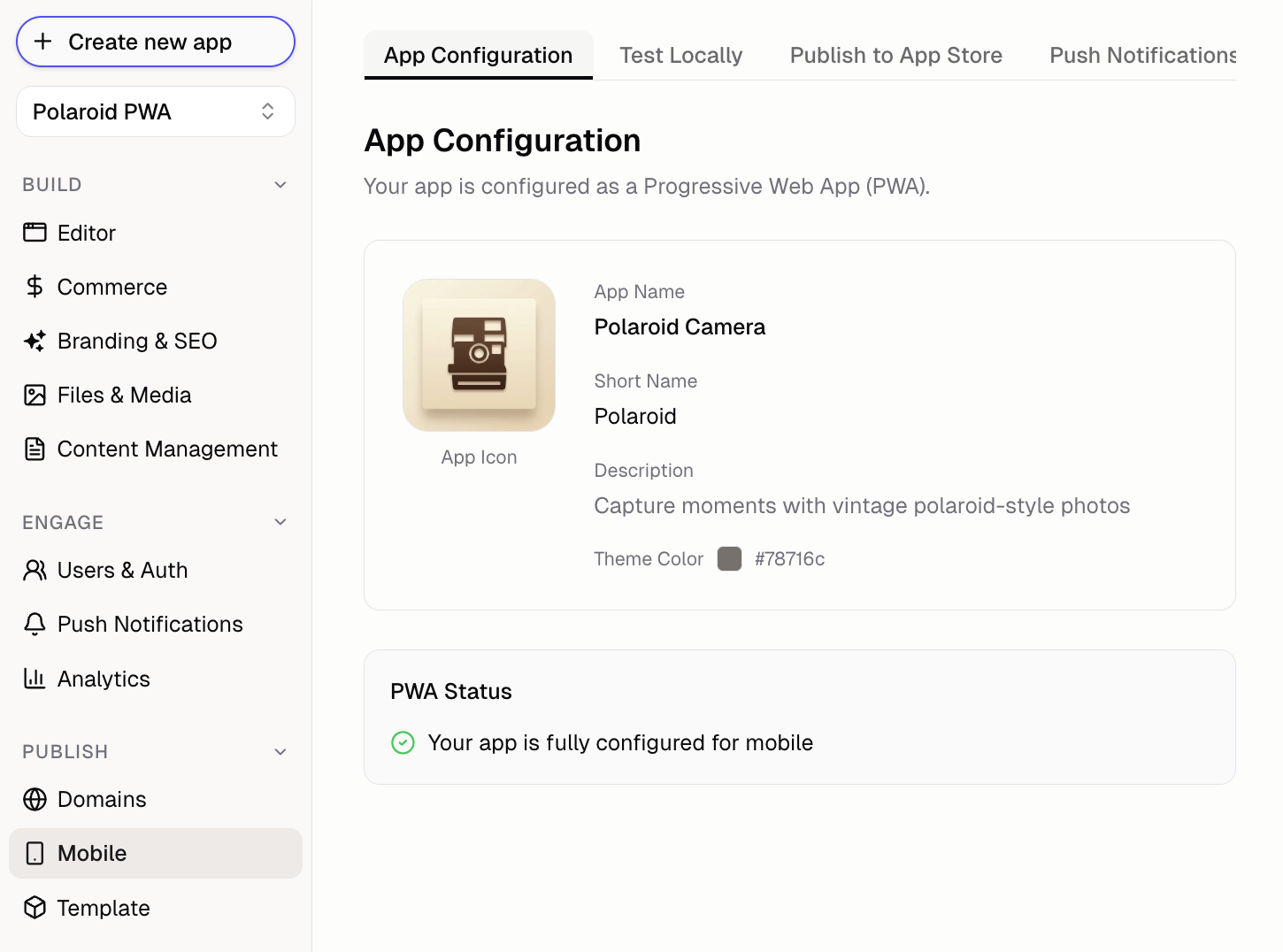
Configure your app's **name**, **icon**, and **description** in the **Mobile** tab. Ask Hercules AI to edit these details if needed.
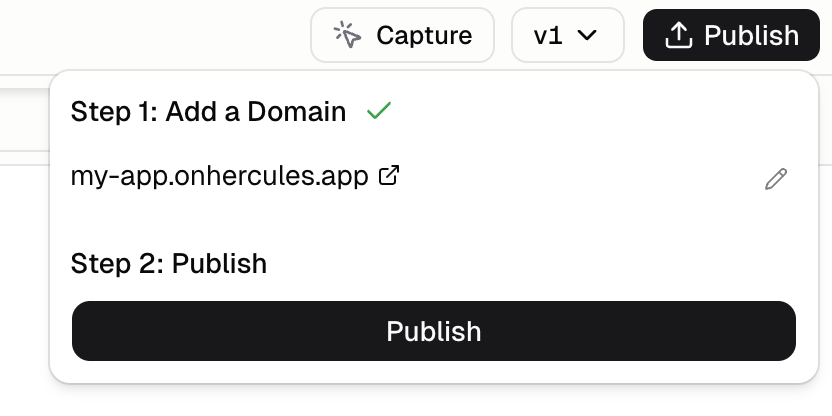
Click **"Publish"** in the top right corner to get your App URL.
1. Go to [pwabuilder.com](https://pwabuilder.com)
2. Enter your app URL (e.g. `https://my-app.onhercules.app` or your [custom domain](/apps/publish/connect-existing-domain))
3. Click **"Start"**, then **"Package for stores"**
4. Select **"Android"** and download the AAB file
When you package your app, make sure to save `signing.keystore` and `signing-key-info.txt` in a safe place. You must use the same signing key for all future updates. If you lose these files, you cannot update your app.
1. Go to [Google Play Console](https://play.google.com/console)
1. You will need a [Google Play Developer Account](https://play.google.com/console) (\$25 one-time)
2. Click **"Create app"** and fill in details
3. Go to **Production → Create new release**
4. Upload the AAB file and complete store listing
5. Submit for review (can take a few hours to 2 days)
Configure your app's **name**, **icon**, and **description** in the **Mobile** tab. Ask Hercules AI to edit these details if needed.
Click **"Publish"** in the top right corner to get your App URL.
1. Go to [pwabuilder.com](https://pwabuilder.com)
2. Enter your app URL (e.g. `https://your-app.onhercules.app` or your [custom domain](/apps/publish/connect-existing-domain))
3. Click **"Start"**, then **"Package for stores"**
4. Select **"iOS"** and download the Xcode project
1. Open the Xcode project on your Mac
* Requires Mac with [Xcode](https://developer.apple.com/xcode/)
2. Update Bundle Identifier and sign with your Apple account
* Requires [Apple Developer Account](https://developer.apple.com) (\$99/year)
3. Build and test on simulator or device
1. Go to [App Store Connect](https://appstoreconnect.apple.com)
2. Create app listing with screenshots and description
3. Archive in Xcode and upload
4. Submit for review (1-3 days)
Apple may reject simple website wrappers. Ensure your app provides unique value.
Configure your app's **name**, **icon**, and **description** in the **Mobile** tab. Ask Hercules AI to edit these details if needed.
Click **"Publish"** in the top right corner to get your App URL.
1. Go to [pwabuilder.com](https://pwabuilder.com)
2. Enter your app URL (e.g. `https://your-app.onhercules.app` or your [custom domain](/apps/publish/connect-existing-domain))
3. Click **"Start"**, then **"Package for stores"**
4. Select **"Windows"** and download the MSIX package
1. Go to [Microsoft Partner Center](https://partner.microsoft.com/dashboard)
* Requires [Microsoft Partner Center Account](https://partner.microsoft.com/dashboard) (\$19 one-time)
2. Click **"Create a new app"** and fill in details
3. Upload the MSIX package
4. Complete store listing and submit for review (1-3 days)
No app store required. Users install directly from your website.
Configure your app's **name**, **icon**, and **description** in the **Mobile** tab. Ask Hercules AI to edit these details if needed.
Click **"Publish"** in the top right corner to get your App URL. Your app is already a PWA by default.
Show a banner encouraging users to install. Ask Hercules:
```text Add install prompt wrap theme={}
Add a PWA install banner that shows when users visit on mobile
```
Hercules will create a prompt that detects mobile users and shows install instructions.
**How users install:**
* **iOS Safari:** Tap Share → Add to Home Screen
* **Android Chrome:** Tap menu → Add to Home Screen (or automatic prompt)
## FAQ
Common reasons: crashes/bugs, incomplete features, misleading descriptions, or being too similar to a website. Apple wants apps that provide value beyond what Safari offers. Add native features or unique functionality.
Common reasons: policy violations, inappropriate content, broken functionality, or missing privacy
policy. Google is generally more lenient with PWAs than Apple.
* **Google Play:** Usually hours to 2 days
* **App Store:** Usually 1-3 days
* **Microsoft Store:** Usually 1-3 days
First submissions may take longer.
Yes. Generate separate packages for each platform from PWA Builder. The underlying app is the
same, just packaged differently.
You need your Android signing key to update your app on the Google Play store. You cannot update
your existing app on the Google Play store with a different signing key. You would need to publish
as a new app with a new package name, losing your existing users and reviews. We strongly
recommend saving your signing key somewhere safe.
PWAs can cache content for offline use. Ask Hercules to set up a service worker to cache assets
and handle offline scenarios gracefully.
PWAs are faster to ship (no review process), update instantly (no waiting for approval), work on all platforms, and don't require developer accounts. PWAs are downloaded directly from the browser, as opposed to a store. You will have to create a PWA to create a mobile app anyway. We recommend testing with a PWA and then publishing to the app stores when you are ready.