> ## Documentation Index
> Fetch the complete documentation index at: https://hercules.app/docs/llms.txt
> Use this file to discover all available pages before exploring further.
# Publish to a free Hercules subdomain
> Publish to [myapp].onhercules.app for free. One domain per app. Upgrade to custom domain when ready.
Users on paid plans can also [buy a domain](/apps/publish/buy-domain) directly in Hercules or
[connect an existing domain](/apps/publish/connect-existing-domain) they already own.
All Hercules apps can be published to a free Hercules domain at `[myapp].onhercules.app`. For a custom domain, [buy one in Hercules](/apps/publish/buy-domain) or [connect an existing domain](/apps/publish/connect-existing-domain).
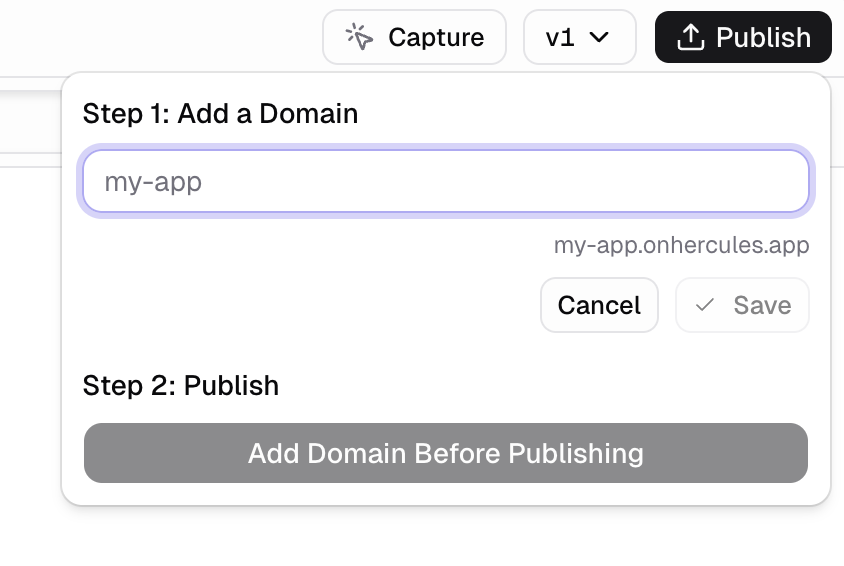
### How do I publish my app to a free `[myapp].onhercules.app` domain?
Click **Publish** in the top right corner of the App Builder, then enter a custom subdomain name.
### Can I change my Hercules domain?
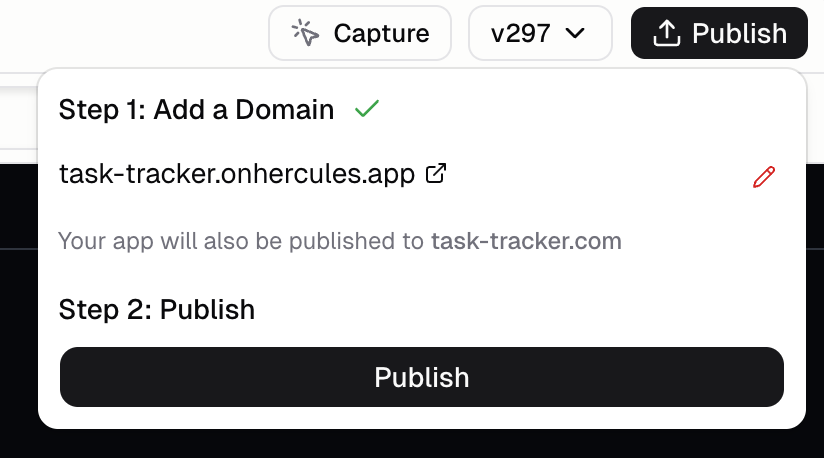
Yes. Click publish, then click the pencil icon next to your subdomain. It will unpublish your app, then allow you to change your domain, then republish.
### How many Hercules domains do I get?
Currently, unlimited Hercules domains, but one per app.
### How do I publish to my own domain?
## Additional FAQ
1. Check that you published the latest version
2. Check that it is not flagged as spam (see below)
Sometimes your antivirus software provider can block `*.onhercules.app`, `hercules.app`, `*.hercules.app`, `hercules-cdn.com`, and `hercules-dev.com` domains. You may see errors like `ERR_QUIC_PROTOCOL_ERROR`, "connection not encrypted", `ERR_SSL_PROTOCOL_ERROR`, or SSL certificate warnings in your browser.
**Solutions:**
1. Add `*.onhercules.app`, `hercules.app`, `*.hercules.app`, `hercules-cdn.com`, and `hercules-dev.com` to the allowlist/denylist settings in your antivirus software
2. Report the site as a false positive to your antivirus provider
3. [Purchase a domain through Hercules](/apps/publish/buy-domain) to use your own domain instead
* You can get an .xyz domain for \$3
4. [Contact](/company/contact) the Hercules team with your antivirus provider name so we can submit a review