> ## Documentation Index
> Fetch the complete documentation index at: https://hercules.app/docs/llms.txt
> Use this file to discover all available pages before exploring further.
# Push Notifications
> Send push notifications to users. Setup, permissions, manual sends, event-triggered, and scheduled notifications.
Send notifications to your users' devices. Hercules manages push notifications end-to-end: setup, permissions, and delivery.
## Set up push notifications
Just ask Hercules to: `Set up push notifications for my app, making sure to handle enabled, disabled, and not available states`.
### Prompt users to opt into notifications
We strongly recommend your app handles all of the following 4 permission states.
| Status | What to show |
| --------------------------- | ------------------------------------------------------------------------------------ |
| **Not enabled** | Show a pre-prompt explaining why notifications are valuable, then request permission |
| **Explicitly enabled** | n/a (Notifications work normally) |
| **Explicitly disabled** | Guide user to device settings to re-enable (you cannot re-prompt them to enable) |
| **Not available on device** | Hide notification-related UI or explain limitations |
For the best experience, prompt users when notifications are most relevant (e.g. after they place
an order) rather than immediately on first visit.
## Send notifications
### From the Hercules UI
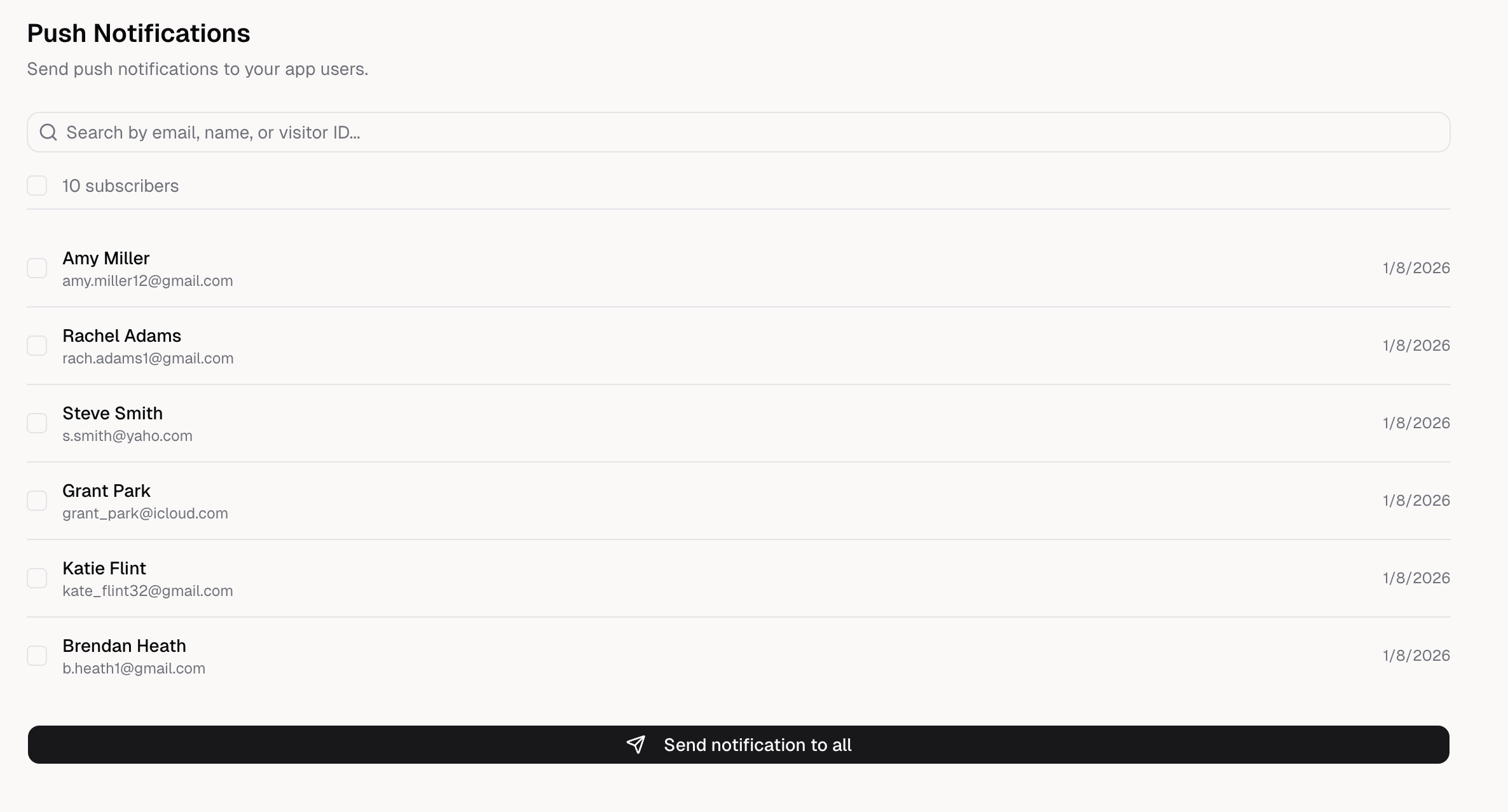
Go to the **Push Notifications** tab to send notifications manually.
Choose to send to all subscribers, or search and select specific users.
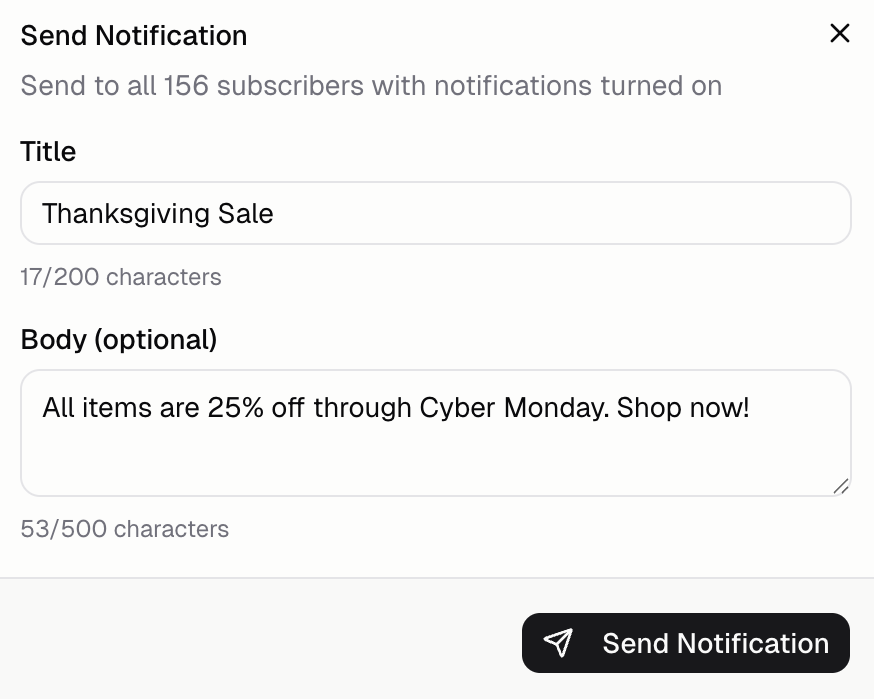
Write a title (required) and body (optional). Keep messages short and valuable.
Click **Send Notification** to deliver immediately.
### Triggered by events
Send notifications automatically when something happens in your app. Ask Hercules:
* *"Send a notification when an order is placed"*
* *"Notify users when their order ships"*
* *"Send a notification when an order is out for delivery"*
* *"Notify users when their order is delivered"*
### Scheduled from your app
Schedule notifications to send at specific times or after delays. Ask Hercules:
* *"Send a welcome notification 1 hour after sign up"*
* *"Remind users about abandoned carts after 24 hours"*
* *"Let me schedule notifications from an admin page"*
## Test push notifications
Push notifications **do not work in Hercules preview**. Follow the [mobile app testing instructions](/apps/mobile/test-mobile) to test on a real device:
1. Publish your app
2. Install on a real device (Add to Home Screen)
3. Grant notification permission when prompted
4. Send a test notification from **Mobile → Push Notifications**
## FAQ
No. Push notifications do not work inside the Hercules preview. You must test on a published URL
Yes. From the Push Notifications UI, search by email, name, or visitor ID to select specific
users.
You can't re-prompt programmatically. Guide users to their device settings to enable notifications
for your app. Show a helpful message with instructions.
Yes, as of iOS 16.4+. Users must add your PWA to home screen first. Notifications won't work from
Safari directly, only from the installed PWA.
* **Title:** Bold headline (keep it short, max 200 characters) - **Body:** Main message (optional,
max 500 characters) **Known limitation:** Notifications currently can't deep-link to a specific
screen. They open the app generically. Deep linking is planned.