> ## Documentation Index
> Fetch the complete documentation index at: https://hercules.app/docs/llms.txt
> Use this file to discover all available pages before exploring further.
# App Management
> Manage your apps from the Hercules dashboard. View, duplicate, delete, and transfer apps between organizations.
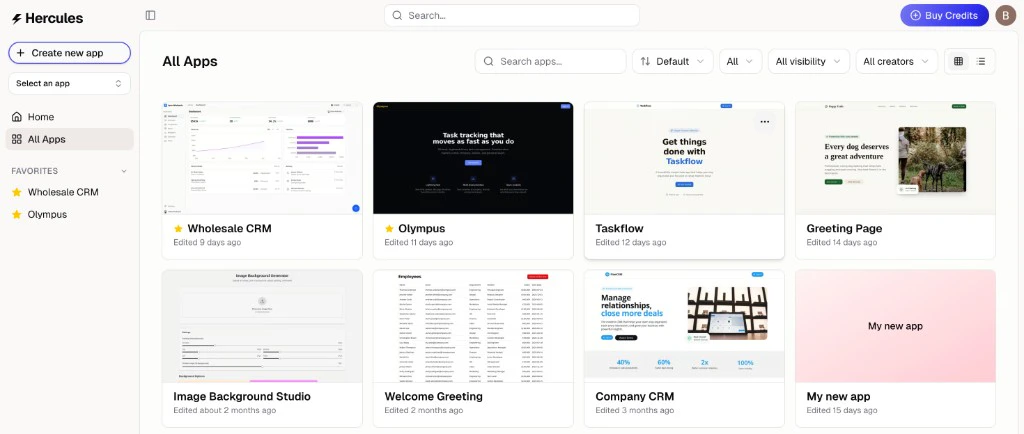
Manage all your apps from the Hercules dashboard. View, duplicate, delete, and transfer apps between organizations.
Go to [hercules.app/dashboard/app](https://hercules.app/dashboard/app) to view all apps in your current organization.
Contact the Hercules support team at [hello@hercules.app](mailto:hello@hercules.app) and we'll move the app for you. Please email from an email address associated with the org you want to transfer the app from, and then please share the org ID that you want to transfer the app to. Please also note that when you transfer your app to another org, everything will be transferred (e.g. code/data/domains etc) EXCEPT Hercules Emails and Hercules Commerce.
1. Go to [hercules.app/dashboard/app](https://hercules.app/dashboard/app)
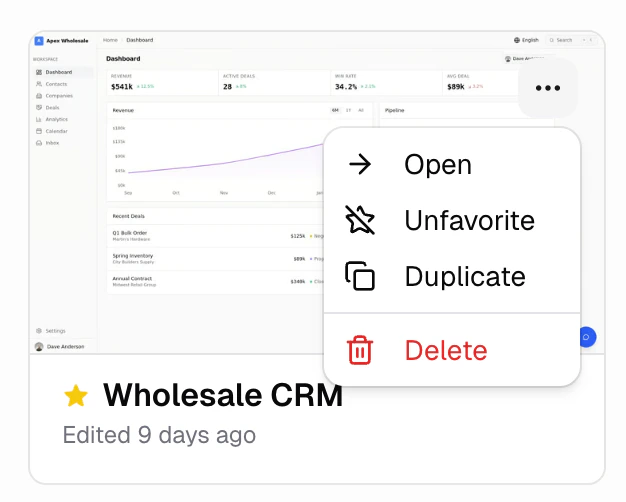
2. Hover over the app and click the three dots
3. Click **Delete**
1. Go to [hercules.app/dashboard/app](https://hercules.app/dashboard/app)
2. Hover over the app and click the three dots
3. Click **Duplicate**