> ## Documentation Index
> Fetch the complete documentation index at: https://hercules.app/docs/llms.txt
> Use this file to discover all available pages before exploring further.
# AI Credits
> AI credits power the Hercules AI Agent when building your app. Plans include monthly AI credits. Buy more anytime.
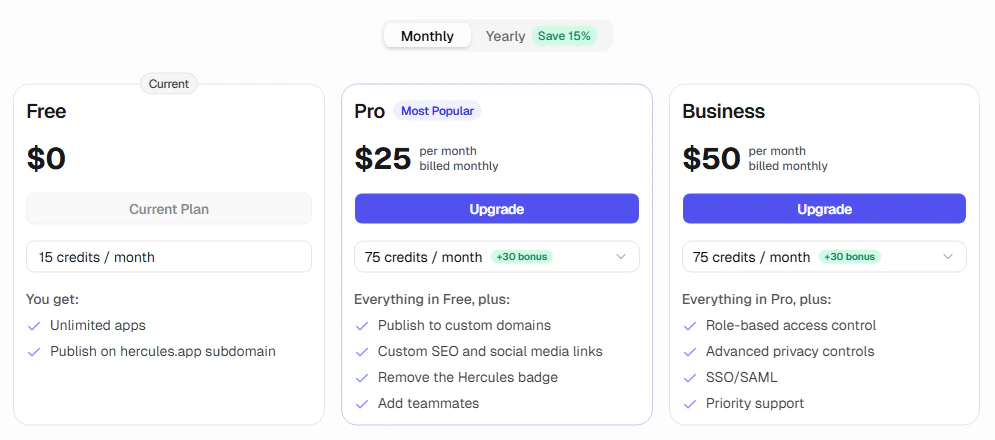
AI credits power the Hercules AI Agent. You use AI credits every time you talk to Hercules AI Agent. Your subscription plan includes a monthly AI credit allocation. You can buy more at anytime.
### How do I get more AI credits?
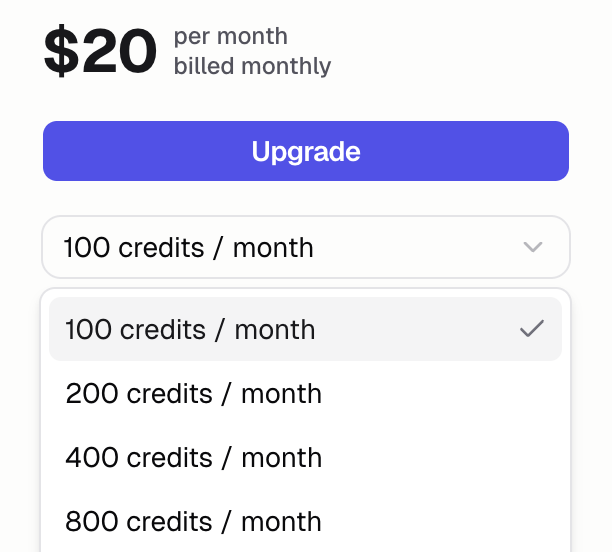
Get more AI credits by increasing your plan's monthly AI credit allocation. Your subscription plan (such as Pro or Business) stays the same, so you keep all of its features. You only pay for the extra AI credits.
Click "Buy credits" in the top right corner of Hercules
Select the amount of AI credits you want to purchase
Review your purchase in the checkout and complete the transaction
### How do AI credit increases work?
You can increase your monthly AI credit allocation while staying on the same subscription plan (such as Pro or Business). When you increase:
* You pay only the **prorated difference** between your current and new AI credit allocation
* You immediately receive the **prorated AI credit difference**, not the full amount
* These AI credits are valid for **28 days** from the grant date
* Your billing cycle does **not** reset
### How does AI credit auto-billing work?
AI credit auto-billing can move your subscription to the next monthly AI credit tier before a
running agent reaches a zero balance. Configure it from **Billing → AI Usage**.
* Auto-billing is available on paid plans with multiple AI credit tiers and a saved payment method
* The default threshold is **10 remaining credits**
* You can choose a whole-number threshold from **1 to 100 credits**
* Hercules upgrades one tier at a time and charges the prorated difference
* Auto-billing pauses while a subscription downgrade is scheduled
* If an automatic upgrade fails, Hercules keeps auto-billing enabled and retries after one hour
* When you reach the highest available tier, auto-billing stays enabled but cannot upgrade again
### Are bug fixes free?
Yes! Hercules fixes uncaught exceptions for free! All Hercules AI Agent runs started by clicking the **Fix the bugs** button in the bottom right of the App Builder will be done for free. Other bug fixes and error resolution still cost AI credits.
### Additional FAQ
Every app is different so we cannot provide estimates. We recommend building your app in small
increments and monitoring your AI credit usage as you go. This is the best way to understand how
AI credits work for your specific use case.
Some plans include one-time bonus AI credits on top of the base allocation. These are marked in
the UI when applicable.
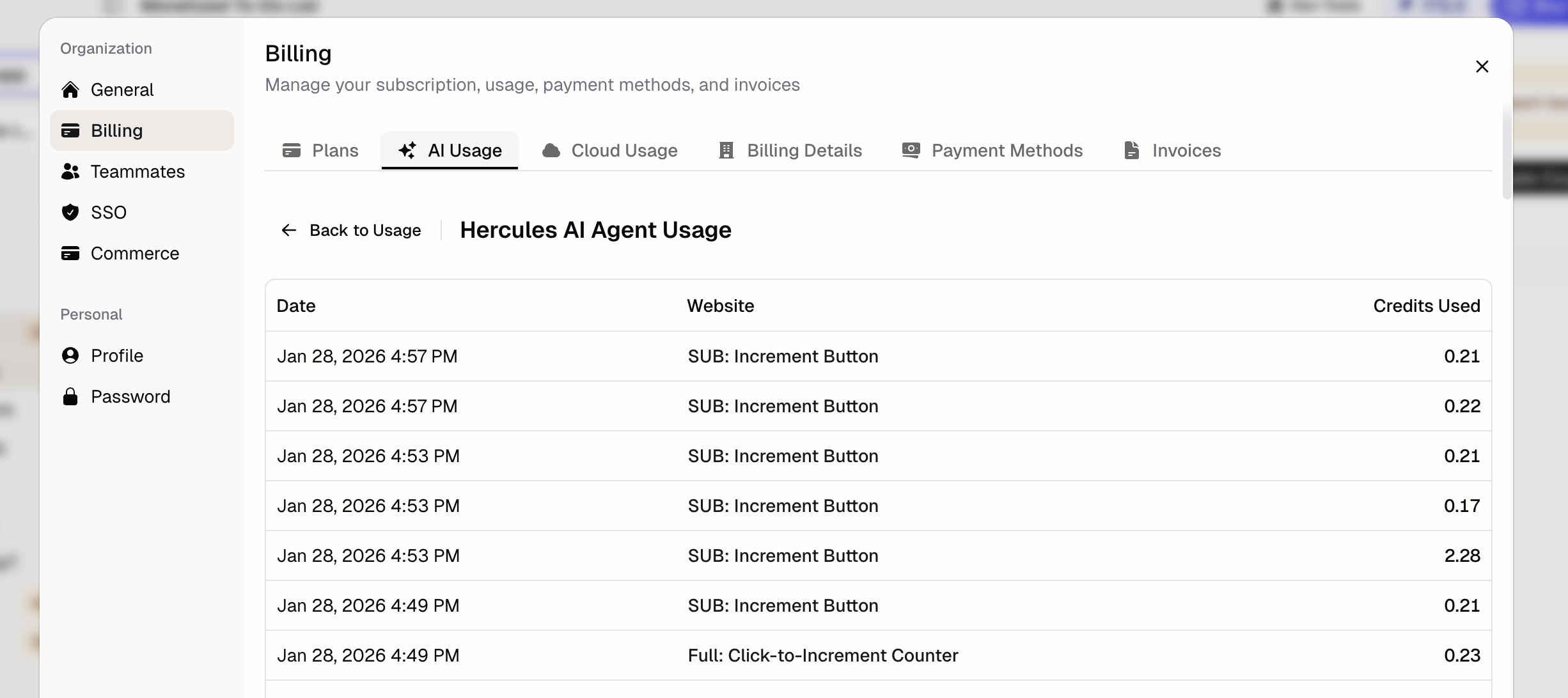
Go to **Billing → AI Usage** to see:
* Current AI credit balance
* Usage breakdown by category
* Invoice history
We rarely give refunds for AI credits. AI credits cost us real money to provide (we pay AI model
providers like OpenAI and Anthropic). We charge for AI credits to cover our costs and keep
Hercules sustainable. We are always happy to help you resolve issues and reduce AI credit usage.
We occasionally offer additional AI credit grants. Click **Support & feedback** with details and
we will do our best to help.
Your app will stay hosted and published. You will not be able to use Hercules AI until you
purchase more AI credits or wait for more AI credits to be granted at the start of your next
billing cycle.