
When should I add a development deployment?
Add one when you want a safe place to try changes before they reach real users. Common reasons:- Test a migration or schema change against throwaway data
- Experiment with a new integration or API key
- Let teammates try a feature without polluting production data
How do I create a development deployment?
- Open your app in the Dashboard
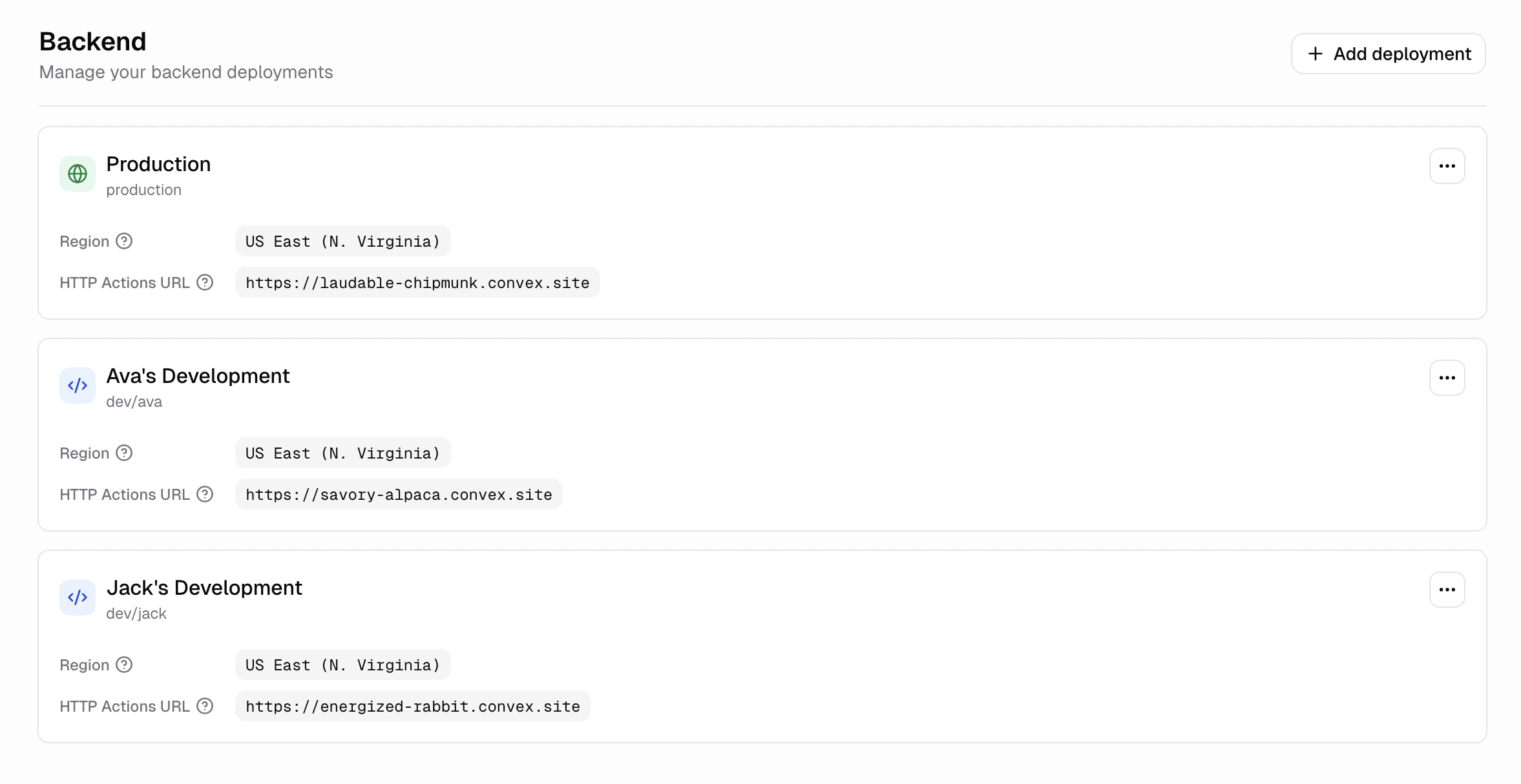
- Go to Advanced → Backend
- Click Add deployment
- Fill in a name (optional) and pick a region
- Click Confirm
How is the development environment different from production?
- Separate database. Development deployments start empty. Nothing from production is copied over.
- Separate secrets. Only secrets scoped to the development environment are available. See Secrets.
- Separate URL. Each development deployment has its own URL, so frontend requests from development don’t hit production.
- Separate region. You can pick a different region from your production deployment.
Can I have more than one development deployment per app?
Yes. Each app can have one production deployment and up to 5 development deployments.How do I rename a development deployment?
On the Backend screen, open the deployment’s actions menu and click Edit. You can update the display name and reference.How do I delete a development deployment?
On the Backend screen, open the deployment’s actions menu and click Delete. Type the confirmation text shown in the dialog, then click Delete. This permanently deletes the deployment and all its data. Production deployments cannot be deleted.How do I pause a development deployment?
On the Backend screen, open the deployment’s actions menu, click Pause, then click Pause deployment in the dialog. This works for branch deployments too. Its functions, crons, and scheduled jobs stop, and anything that uses the deployment stops working, including Hercules pushing backend changes from that branch’s chats. Its data is kept, and the deployment shows a Paused badge. To start it again, open the same menu and click Resume.Why can't I resume a paused deployment?
Why can't I resume a paused deployment?
The Resume option only appears for deployments you paused yourself. A deployment paused for a
negative balance resumes once you add credits. For any other pause by Hercules, contact support.
Why can't I pause a deployment?
Why can't I pause a deployment?
Production cannot be paused from the Backend screen. If your app still needs its auth upgrade,
upgrade auth first.
Do I need a development deployment to build with Hercules?
Do I need a development deployment to build with Hercules?
No. Every app gets a production deployment automatically. Development deployments are optional.
Which region does a new development deployment use?
Which region does a new development deployment use?
It defaults to your organization’s region. You can pick a different region when you create it.
Currently available: US East (N. Virginia), EU West (Ireland), Canada Central (Montreal), and Asia
Pacific (Sydney).
Can I copy production data into a development deployment?
Can I copy production data into a development deployment?
Yes. On the Backend screen, open the development deployment’s actions menu and click Clone
data from production. A snapshot from production is restored into the development deployment,
and its existing data is replaced.
Can I see which functions are being called?
Can I see which functions are being called?
Yes. Open a deployment’s actions menu and click View function usage to see a per-function
breakdown of call count, database bandwidth, and action compute. You can filter by last 24 hours,
3 days, 7 days, 30 days, or 90 days.