

How do I create a coupon?
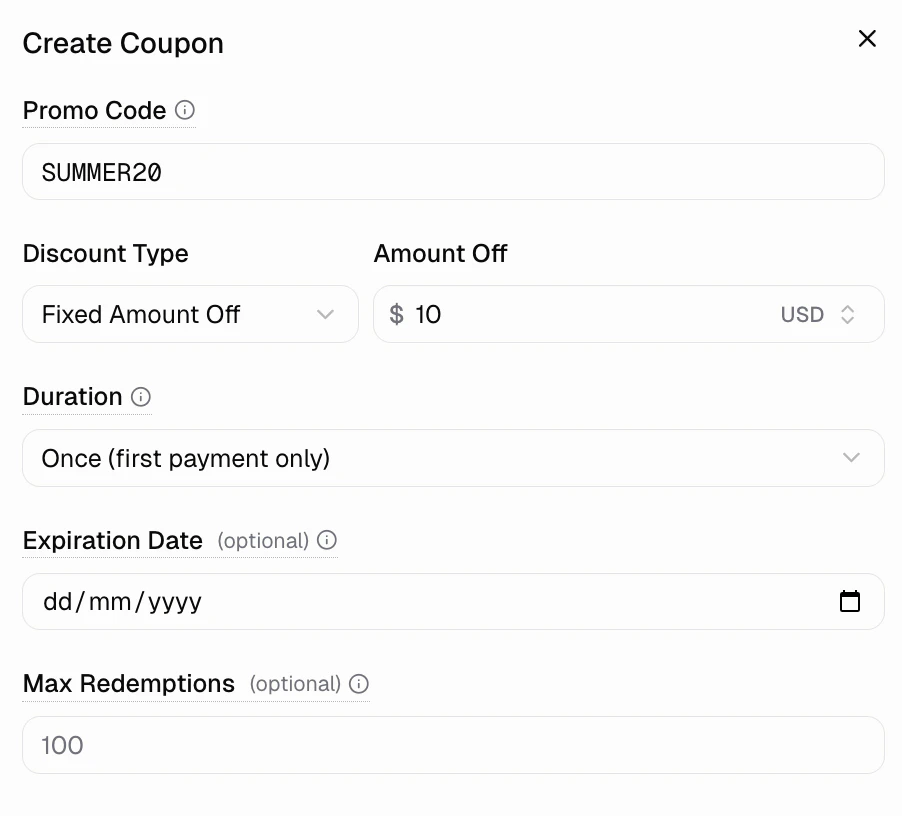
Go to Commerce → Coupons and click Create Coupon. Configure:- Code: What customers enter (e.g., SAVE20, LAUNCH50)
- Discount type: Percentage or fixed amount
- Value: How much off
- Restrictions: Limits and expiration
How do customers redeem a coupon?
Active coupons add an Add promotion code field to the checkout page where customers enter the code.What discount types are available?
- Percentage off: Reduce by % (e.g. 10%, 25%, 50%)
- Fixed amount: Subtract a dollar amount (e.g. $5, $20, $100)
How do I limit coupon usage?
Control coupon redemptions with:- Duration: Once, repeating (X months), or forever
- Expiration date: Set end date
- Max redemptions: Limit total uses